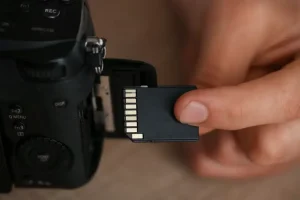
A card fails at the worst possible moment. Not on a quiet Tuesday with nothing on it, but at the end of a wedding, a birth, a last day of a trip you will never repeat. The camera says the card needs formatting, or the laptop shows an empty folder, or nothing at all appears. In that second, most people do one of two things. They press the button the dialogue box offers, or they start trying everything they can think of. Both feel like action. Both can erase the last copies of something irreplaceable.
Here is the thing worth holding onto. In most failures, the files are still there. They are not deleted, they are unreachable. Understanding that single difference is what separates a rescued archive from a lost one, and it is where any serious conversation about sd data recovery file extraction has to begin.
What SD Data Recovery File Extraction Actually Means
A memory card is a tiny computer pretending to be a storage box. It has a controller, memory chips, firmware, and a file system. When you take a photo, the camera writes the image data into free space and then records a note in an index saying where that data starts, where it ends, and what it is called. That index is the file system, and it occupies a minuscule fraction of the card.
Deleting a file, or a card losing its index, does not remove the image. It removes the note. The photograph sits in the memory chips exactly where it was written, waiting for something to point at it again. SD data recovery file extraction is the work of reading the raw memory, finding the patterns that identify each file type, and rebuilding the index from what is found. It is closer to forensics than to repair, and that framing matters, because forensic work has rules about not disturbing the evidence.
Why Flash Memory Corrupts in the First Place
Flash memory is not fragile in the way a spinning hard drive is, and it fails differently. There are no moving parts to break, so failures tend to arrive without warning and often without any physical sign.
The Three Layers Where a Card Fails
The first layer is the controller, the chip that manages reading and writing. When it stops responding, the card is no longer detected at all. The memory underneath is usually perfect. The second layer is the file system itself, which can be damaged by a card pulled out mid-write, a camera losing power during a save, or a reader with a poor connection. The third layer is the NAND memory, where individual cells wear out with use. Cards spread writes across cells to slow this down, which is why the damage appears as scattered unreadable files rather than one clean failure.
Knowing which layer failed changes everything about your next move, and the symptom usually tells you. A card that appears but shows nothing is a file system problem. A card that never appears is a controller or connection problem. A card that mounts and then throws errors while copying is memory trouble, and every scan puts more strain on it.
The First Hour Decides the Outcome
The most useful thing you can do costs nothing and takes thirty seconds. Take the card out and leave it alone.
Why Every New Write Costs a File
Space marked as available gets reused. Every photograph, every video, every thumbnail, every index rewrite lands on top of something, and there is no undo. A camera left switched on will write to its card in the background. A phone will cache thumbnails the moment the card is inserted. A computer will create index files simply by opening the folder.
This is why professional advice is so blunt about it. Do not take one more photo to check whether the card still works. Do not format it to see if that fixes the error. Do not copy half the files and then keep shooting. Each of those actions writes, and each write is a roll of the dice against files you have not yet recovered.
How File Extraction Works Beneath the Surface
If the card is detected steadily, the safest approach is to image it before touching it. Sector-level imaging copies the entire card bit by bit to a healthy drive, and from that point every scan runs against the copy. The original goes in a drawer, and you gain unlimited attempts instead of one.
Signatures, Fragments, and Why Videos Come Back Broken
Extraction works by recognising file signatures, the specific byte patterns that mark the beginning of a JPEG, a RAW file, an MP4 or a PDF. Once the software finds a signature, it tries to determine where the file ends. For photographs this usually succeeds, because a JPEG is a self-contained block with a clear start and finish.
Video is the difficult case, and it catches people out constantly. Most video formats store their index at the end of the file. If recording was interrupted, or the card failed before the file was closed, that index was never written. The frames exist. The map of frames does not. The player opens the file, finds no roadmap, and refuses to play. This is where a second pass with dedicated repair software earns its keep, by rebuilding the container from the frames themselves. Plenty of footage reported as corrupt at that stage is fully recoverable, and most people give up before trying.
Repair Tools: What They Fix and What They Wreck
The word repair is doing a lot of damage in this market. Recovery software reads and extracts. Repair utilities rebuild structures. System repair tools fix file systems, which is a completely different job with a completely different risk.
Recovery Software and Repair Utilities Are Not the Same Thing
Operating systems offer to scan and fix a drive when it misbehaves. On a healthy disk that is helpful. On a card holding the only copies of something you love, it can be devastating, because a repair tool makes the file system consistent, and the simplest way to be consistent is to drop references to files that do not fit its expectations. It has not failed. It has done its job on data it did not know was precious.
Recovery software behaves differently. It mounts nothing, changes nothing on the source, and writes its output elsewhere. If you take one rule from this article, take that one. Never let a repair utility near a card that holds something irreplaceable. For anyone researching sd data recovery file extraction for the first time, this is the distinction that decides whether the story ends well.
A Card, Two Hundred Wedding Photos, and a Faulty Reader
Last spring a photographer I know came back from a wedding with a card her laptop refused to mount. The camera had been fine. The reader, it turned out, was the culprit, a cheap hub that had been dropping connections for weeks.
Her first instinct was to run the repair prompt. She stopped, put the card in a bag, and called someone instead. That call turned into an imaging session on a borrowed laptop, a scan of the image rather than the card, and nine hundred files recovered out of nine hundred and four. The four missing ones were duplicates she had already backed up. Two years earlier the same person had formatted a card in a panic and lost an entire shoot, because nobody had told her that formatting is not a fix. That is usually how this knowledge arrives, and it is a shame it arrives so late.
Corrupted Flash Memory: When Software Reaches Its Limit
Software reads what the hardware delivers. When the hardware stops delivering, no amount of scanning will help, and continuing to try actively reduces your options.
Stop if the card never appears, if it disconnects partway through a scan, or if a scan has already run several times with nothing found. At that point the work belongs in a lab, where the memory chips can be read directly or moved to a donor controller of the same model. It is expensive, often several hundred euros, and people hesitate because the card cost fifteen. The card is not the thing being valued. The photographs are, and a family’s only pictures of a grandparent deserve the same effort as a commercial shoot.
Choosing Tools Without Wasting Money or Losing Data
Every tool offers a free scan, and the preview is the only honest test in the whole category. A good tool shows thumbnails large enough to recognise a specific photograph. One that shows filenames without previews, or blurs them past usefulness, is asking you to pay blind.
Install the software on your computer, never on the card. Set the output folder to a different drive from the source, every single time, because the default setting is not always safe. And when a scan comes back empty on a card that matters, do not buy the next tool. Pay for a lab instead, and stop running scans on failing hardware. Good sd data recovery file extraction practice is mostly restraint.
Habits That Prevent the Next Emergency
Format the card in the camera rather than on the computer, since the camera writes the structure it expects to read. Buy cards from reputable sellers, because counterfeit cards are a leading cause of sudden death and routinely report capacities they do not have. Retire cards after a few years of heavy use instead of waiting for a failure notice. Never pull a card while the camera is still writing, and never share one card across two devices mid-shoot.
Above all, copy files off as soon as practical, to two places if the material matters. A card is a transport medium. The people who lose the most are almost always the ones who treated it as the archive because the trip was busy and the laptop was full. Reliable sd data recovery file extraction starts weeks before the failure, in habits that cost ten minutes.
Final Thoughts
Nothing about a corrupt card is mysterious once you see the structure underneath. Data is written, a map is kept, and the map is the fragile part. When it breaks, the data stays where it was, and recovery is the work of rebuilding the map by reading what remains. Every good decision after a failure comes from that picture, from leaving the card alone to imaging it before scanning to knowing that preserving a report of corrupt files is not the same as fixing them.
And there is a quieter point. A memory card is the cheapest thing in most camera bags and it carries the most valuable. What is on it cannot be reshot, and no lens or body compensates for its loss. Ten minutes spent learning what to do when the card goes silent is the cheapest insurance in photography, and it is the only insurance that pays out exactly once, at the moment you need it.