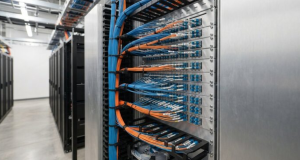

Modern businesses rely on servers to keep essential services running. Websites, customer databases, business applications, email systems, and internal networks all depend on stable infrastructure. When a server becomes unavailable, the consequences can extend beyond a technical inconvenience. Employees may lose access to essential tools, customers may be unable to complete transactions, and business operations may slow down. Effective server administration is therefore a central part of maintaining business continuity, protecting information, and delivering a reliable digital experience.
Managing servers has also become more complex. Organizations may operate physical machines in their own facilities, virtual servers in private environments, and cloud instances distributed across several providers. Each environment has its own configuration requirements, security considerations, and monitoring needs. Without a consistent management process, administrators can struggle to maintain visibility and respond quickly when something goes wrong.
This is where server management software becomes valuable. These tools help IT teams administer systems, monitor performance, automate repetitive work, and maintain appropriate security controls. Depending on the product, they may provide centralized dashboards, remote access, configuration management, event notifications, reporting, and integration with other IT systems. The goal is to make server operations more predictable and easier to control.
Effective management is not simply about keeping servers online. It also involves preventing avoidable failures, identifying resource shortages, applying security updates, and planning for future demand. A server that remains available but runs slowly or exposes sensitive information is not being managed effectively. Businesses need a balanced approach that considers availability, performance, security, and operational cost.
The right tools can help administrators move away from constant manual intervention and toward a more proactive operating model. Instead of discovering problems only after users complain, teams can monitor warning signs and address them earlier. This shift can reduce disruption, improve productivity, and create a stronger foundation for business growth.
What Server Management Software Does Behind the Scenes
Server management software provides tools for overseeing the configuration, health, and operation of server infrastructure. Its exact capabilities depend on the platform. Some products focus on monitoring and alerts, while others specialize in remote administration, configuration enforcement, patch management, automation, or cloud resource management. Comprehensive platforms may combine several of these functions in one interface.
Centralized visibility is one of the main advantages. Administrators can review the condition of multiple systems without connecting manually to each machine to collect basic information. They may be able to see operating system details, resource utilization, running services, recent alerts, and configuration status from a common dashboard. This makes it easier to identify systems that need attention and prioritize work according to business impact.
Centralizing Administration Across Different Environments
A centralized management interface can simplify administration when an organization operates many servers. Rather than relying on separate procedures for every machine, administrators can use consistent workflows to review status, inspect configurations, and perform approved tasks. This is especially helpful when systems support different departments or applications but share common operational requirements.
However, centralization does not mean that every server should be treated identically. A database server, web server, and development environment may have different performance needs, security requirements, and maintenance windows. Good management software allows teams to organize systems into meaningful groups and apply appropriate policies without losing visibility across the wider infrastructure.
Organizations using physical, virtual, and cloud infrastructure should also evaluate compatibility carefully. Some tools work across multiple operating systems and hosting environments, while others are designed for a specific ecosystem. Before deployment, administrators should confirm which systems can be monitored, which actions can be performed remotely, and whether additional agents or integrations are required.
Simplifying Routine Maintenance and Configuration
Server administration includes many recurring responsibilities. Administrators need to review settings, manage services, control access, install approved software, and ensure that systems remain aligned with operational requirements. Server management software can make these tasks more consistent by providing reusable procedures and clear records of changes.
Configuration management is particularly useful when several servers need similar settings. A team may need to maintain consistent time synchronization, logging, access rules, or service configurations across a group of machines. A suitable tool can help identify differences and apply approved configurations. This reduces the risk of one server gradually drifting away from the intended standard.
Automation and centralized administration still require oversight. A configuration change that is appropriate for a test environment may disrupt a production application if applied without review. Administrators should define which changes can run automatically, which require approval, and how the team can restore a previous state if an update causes unexpected behavior.
Monitoring Tools That Reveal Problems Before They Escalate
Server monitoring provides information about the condition of infrastructure over time. It can track processor usage, memory consumption, disk capacity, network activity, system availability, and the performance of important services. These measurements help administrators understand whether systems are operating within expected limits and identify changes that may indicate an emerging problem.
For example, a server’s memory usage might increase steadily throughout the day. That pattern could reflect normal demand, but it could also indicate a memory leak or an application that is not releasing resources correctly. Historical data gives administrators context for investigating the issue instead of relying on a single measurement. Similarly, a sudden rise in network traffic may be expected during a scheduled data transfer or may signal unusual activity that needs further review.
Useful monitoring tools combine metrics with alerts and diagnostic information. Administrators can define thresholds for important resources and receive notifications when conditions move outside acceptable ranges. More advanced systems may support anomaly detection, service dependency mapping, log analysis, and correlation between related events. These capabilities can help teams narrow down the likely cause of an incident more efficiently.
Alert quality matters as much as alert availability. If a system sends notifications for every minor fluctuation, administrators may become overwhelmed and overlook genuinely urgent events. Thresholds should reflect the system’s normal behavior, the impact of failure, and the time available to respond. A temporary spike in processor use may be harmless, while sustained high utilization combined with rising application latency may require immediate investigation.
Monitoring should also extend beyond individual servers. A machine can appear healthy while the application running on it remains unavailable because a database, network connection, authentication service, or external dependency has failed. Service-level monitoring helps teams understand the complete user experience rather than focusing only on hardware statistics.
Expert advice: Establish a performance baseline before setting aggressive alerts. Review normal resource patterns during busy and quiet periods, then define thresholds that reflect real operational risk. Pair critical alerts with clear response instructions so that the person receiving a notification knows what to check first. Monitoring is most valuable when it leads to timely, informed action rather than simply generating more data.
Automation That Reduces Repetitive IT Work
Manual server administration can consume considerable time, particularly when teams manage many machines. Repeating the same update, verification, or configuration task across dozens of servers creates opportunities for mistakes. Automation helps standardize these operations and allows administrators to focus more attention on complex problems, capacity planning, and security improvements.
Automating Updates, Backups, and Scheduled Tasks
Routine maintenance is a practical starting point for automation. Software updates can be scheduled according to approved maintenance windows, while backup jobs can run at defined intervals and report whether they completed successfully. Administrators can also automate log rotation, temporary-file cleanup, service checks, and other recurring tasks.
Patch automation requires careful planning. Operating system and application updates may address security vulnerabilities, fix bugs, or improve stability, but they can also introduce compatibility issues. A safer process begins by testing updates in a representative non-production environment, then deploying them to a limited group before expanding to critical systems. Monitoring after deployment helps identify unexpected effects.
Backups require similar discipline. A completed backup job does not guarantee that data can be restored successfully. Teams should verify backup integrity, protect backup copies from unauthorized access, and test recovery procedures. Automated restoration checks, where supported, can provide additional confidence, but they should complement realistic recovery exercises.
Scheduled maintenance should include clear failure handling. If a backup fails or an update cannot be installed, the system should record the outcome and notify the appropriate team. Silent failures can create a dangerous false sense of security. Automation should make operational status more visible, not hide problems behind a successful-looking schedule.
Using Scripts and Policies to Improve Consistency
Scripts can perform repetitive actions such as checking service status, collecting diagnostic information, or validating configuration settings. Configuration management tools take this further by defining the desired state of a system and helping maintain that state across multiple machines. Infrastructure-as-code approaches can also represent infrastructure settings in version-controlled files, making changes easier to review, reproduce, and audit.
Standardization is a major benefit. When administrators follow a tested process, new servers can be configured more consistently, and troubleshooting becomes easier because systems are less likely to contain unexplained differences. Version control also provides a history of changes, helping teams understand what was modified and when.
Automation should never be treated as a substitute for testing. A faulty script can repeat the same mistake across an entire environment much faster than a person could. Scripts should use appropriate permissions, validate inputs, handle errors, and produce useful logs. High-impact changes should include safeguards that limit the scope of execution and support rollback where possible.
The best automation strategy begins with predictable, low-risk tasks. Once the team has tested its procedures and established reliable monitoring, it can consider automating more complex workflows. This gradual approach creates efficiency without introducing unnecessary operational risk.
Security and Access Control in Everyday Server Operations
Server management tools often have access to sensitive systems and powerful administrative functions. If an attacker gains control of a management platform, they may be able to change configurations, access data, disable services, or distribute malicious software across multiple machines. Protecting the management layer is therefore just as important as securing the servers it controls.
Access should follow the principle of least privilege. Each administrator or service account should receive only the permissions needed for its assigned responsibilities. Role-based access control can separate tasks such as monitoring, routine maintenance, configuration changes, and security administration. This reduces the chance that an account with limited responsibilities can make a high-impact change.
Strong authentication is also essential. Multi-factor authentication, centralized identity management, secure remote connections, and timely removal of unused accounts can reduce exposure. Service accounts used by automated processes should be handled carefully, with restricted permissions and secure credential storage. Credentials should not be embedded in scripts or shared casually between team members.
Server management software can support security through patch visibility, configuration checks, audit logs, and compliance reporting. These features help teams identify missing updates, unauthorized changes, and systems that do not meet internal standards. However, the tool itself must be kept updated, securely configured, and monitored for suspicious activity.
Organizations should also review how management traffic reaches their servers. Restricting administrative interfaces to trusted networks, using secure access gateways, and separating management systems from ordinary user traffic can reduce exposure. Backup access and recovery credentials deserve special protection because attackers often target them when attempting to disrupt an organization’s ability to recover.
Security works best as an ongoing process. Regular access reviews, vulnerability assessments, change audits, and incident-response exercises help reveal weaknesses before they become serious problems. Management software can make these activities easier to coordinate, but accountability and sound security policies remain essential.
Choosing Tools That Fit Your Server Environment
Selecting server management software requires more than comparing feature lists. A tool may offer extensive automation but be difficult for a small team to maintain. Another may provide an intuitive interface but lack support for important operating systems or infrastructure types. The right choice depends on the environment, the team’s skills, the operational risks, and the outcomes the organization needs to achieve.
Compatibility should be an early consideration. Administrators should confirm support for the operating systems, virtualization platforms, cloud services, and applications in use. They should also investigate whether the tool needs local agents, additional licenses, network access, or external services to perform its functions. These requirements can affect deployment complexity and ongoing costs.
Scalability matters as infrastructure grows. A platform that works well with a handful of servers may become difficult to operate when hundreds of systems generate metrics and alerts. Evaluate how the tool handles large inventories, permissions, reporting, retention of monitoring data, and distributed environments. Consider both current requirements and likely future growth without paying for capabilities the organization does not need.
Deployment and pricing models also influence the decision. Some tools run on premises, some are delivered as cloud services, and others support a combination of approaches. Total cost may include subscriptions, infrastructure, training, support, integration, and administration time. An inexpensive license can become costly if the product requires extensive maintenance or does not integrate well with existing systems.
Usability should not be overlooked. Administrators need to find important information quickly, understand alerts, and complete common tasks without unnecessary complexity. Documentation, vendor support, community resources, and clear reporting can make a significant difference during deployment and incident response.
Finally, run a practical evaluation before making a long-term commitment. Test the product with representative servers and realistic tasks. Check how it handles an unavailable system, a failed update, a permission change, and a noisy alert condition. This reveals whether the software fits actual workflows rather than simply meeting requirements on paper.
Connecting Server Management With Existing IT Systems
Server management becomes more effective when it works with the other systems an organization already uses. Monitoring platforms may integrate with alerting tools, service desks, identity providers, cloud services, backup systems, configuration management tools, and incident response workflows. These connections reduce the need for staff to move information manually between disconnected applications.
For example, when monitoring identifies a serious service failure, an integration may create an incident ticket with the affected server, relevant measurements, and alert details. The assigned team can then investigate the issue and record its resolution in the same workflow. This improves traceability and helps organizations analyze recurring incidents.
Identity integration can simplify access management by connecting administrative permissions to established organizational roles. Backup integrations can provide clearer visibility into recovery status, while cloud integrations may help teams monitor resource consumption and operational changes across hosted environments.
Integration quality should be evaluated carefully. A connection that transfers incomplete or delayed information may create confusion rather than improve response times. Teams should confirm which data is shared, how authentication works, how failures are handled, and whether the integration introduces additional security risks.
Documentation is important here, too. IT teams should record which systems are connected, who owns each integration, and what actions can be triggered automatically. This is especially important when an alert can initiate a configuration change or remediation workflow. Clear ownership and testing help prevent one system from creating unintended effects in another.
Avoiding Costly Mistakes During Deployment
Deploying server management software without understanding the existing environment can lead to gaps in coverage and unnecessary complexity. Organizations should begin with an accurate inventory of servers, applications, owners, dependencies, and criticality. Without this information, teams may overlook important systems or apply the same monitoring policies to services with very different operational needs.
Excessive permissions are another common risk. Giving a management platform broad administrative access may simplify initial setup, but it increases the potential impact of compromised credentials or configuration errors. Permissions should be restricted to what each workflow requires, and privileged access should be reviewed regularly.
Poorly tested automation can cause widespread disruption. Before rolling out a script or policy, teams should test it in a controlled environment, verify its expected behavior, and establish a rollback or recovery procedure. Changes should be introduced gradually, especially when they affect production databases, authentication systems, or business-critical applications.
Alert fatigue can also undermine the value of monitoring. Teams should distinguish between informational events, warnings, and incidents that require immediate action. Each important alert needs an owner and a reasonable response process. Regularly reviewing noisy or unused alerts helps keep attention focused on meaningful risks.
Staff training and documentation are equally important. A tool cannot improve operations if administrators do not understand its dashboards, permissions, or recovery features. Phased deployment, pilot testing, clear procedures, and periodic reviews help organizations introduce the software without overwhelming their teams.
Frequently Asked Questions
What is server management software used for?
Server management software helps IT teams administer, monitor, secure, and maintain servers. Depending on the product, it may provide performance dashboards, alerts, remote administration, patch management, configuration controls, backup monitoring, and automation. These capabilities help administrators identify problems, maintain consistent settings, and manage infrastructure more efficiently. The best solution depends on the organization’s server environment, operational requirements, and security needs.
Is server management software necessary for small businesses?
Small businesses may benefit from server management software when they depend on business-critical applications, maintain several servers, or need stronger visibility into system health and security. A small environment may not require an extensive enterprise platform, but it still needs reliable monitoring, updates, backups, and access controls. Businesses should choose a tool that matches their complexity and available expertise rather than paying for features they are unlikely to use.
How does automation improve server reliability and security?
Automation makes routine tasks more consistent by reducing manual steps and enforcing approved procedures. It can help schedule updates, verify services, run backups, check configurations, and notify administrators when a task fails. This can reduce human error and shorten response times. However, automation must be tested, logged, and protected with appropriate permissions. Regular recovery tests and human review of high-impact changes remain important for maintaining reliable and secure systems.